30A WiFi LED Controllers

The New 30A Large Output Current Controllers Arrived

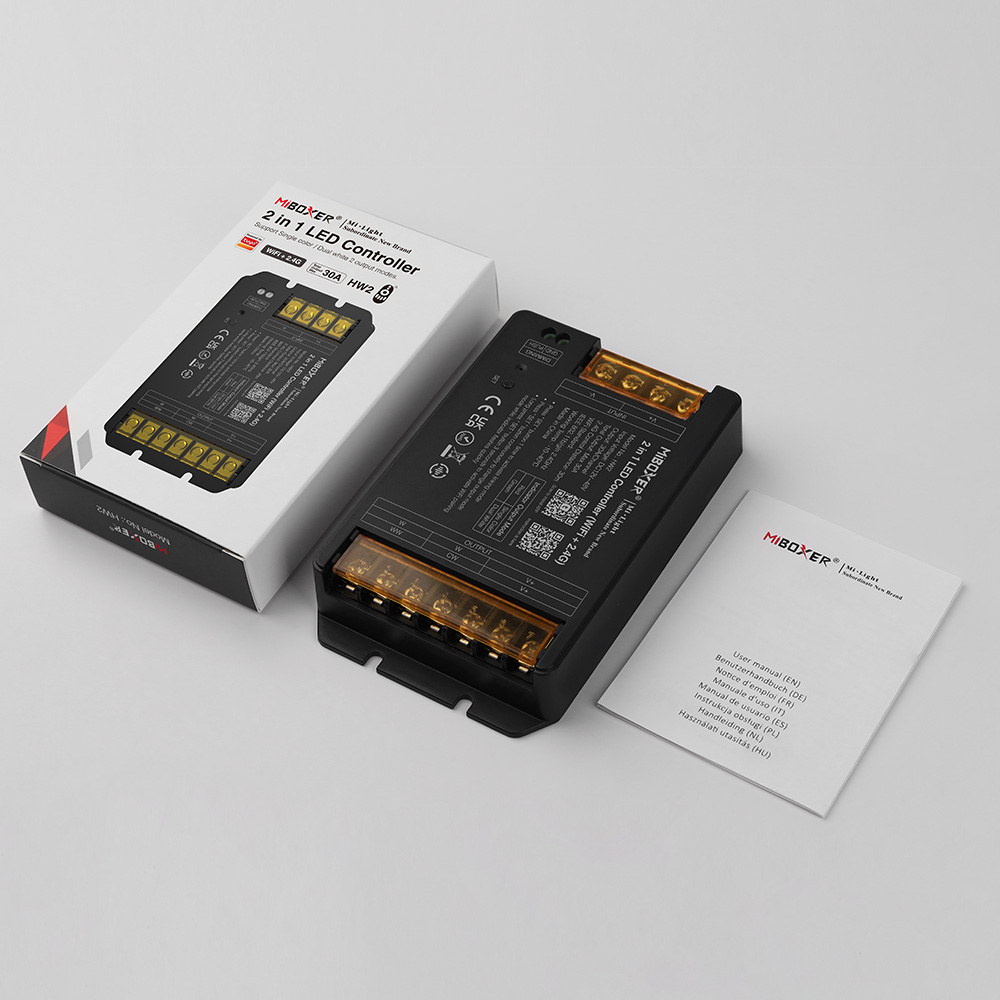
The newest MiBoxer 30A Light Controllers are available on Ledbe now. Those with a max 30A output current design can load more LED Lights than similar products.

30A WiFi LED Controllers

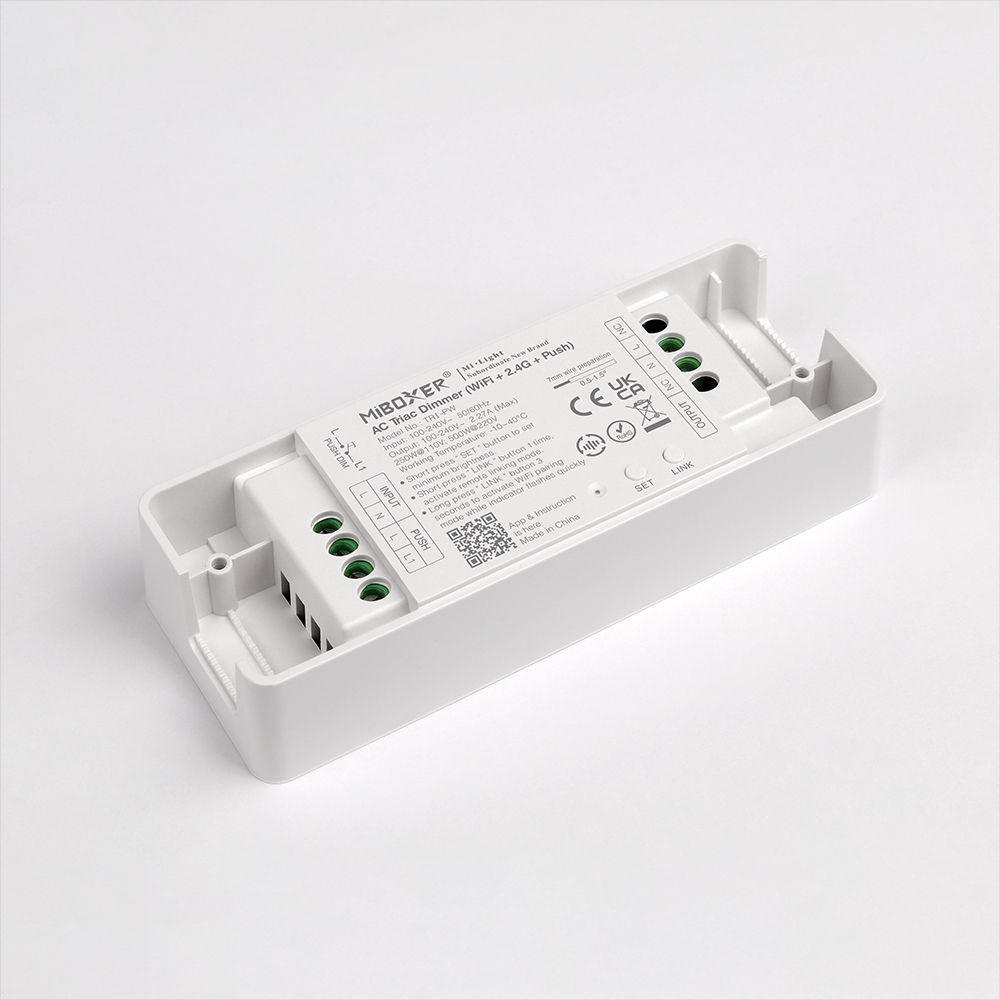
There are 2.4G series and 2.4G+WiFi series Controllers available. The 2.4G series includes HR2(2 in 1) and HR5(5 in 1). The 2.4G + WiFi series includes HW2(2 in 1) and HW5(5 in 1). The 2 in 1 Controllers are designed for dual-white and single-color LED Lights; 5 in 1 can be used for all types: single-color, dual-white, RGB, RGBW, and RGB+CCT.

All of them can work with MiBoxer RF Remote Controls; you can use the remote control to select the color and adjust the brightness, color temperature, and saturation for various scenes. Also can work with Tuya APP and third-party voice commands. You can control the Lighting from your phone or use the voice commands. The WiFi series can pair to your WiFi network directly, and the 2.4G series needs to add a 2.4G Gateway.

LED Controller Voice Control

Those Controllers with auto-transmitting & synchronization functions. One Controller or Dimmer receives the signal from a 2.4G RF Remote and will transmit to the same model LED Device within 30 meters; all will synchronize. This will be very helpful if you want all LED Lights to change simultaneously.

Tuya LED Controller

If you want to order some for your projects, please check the link below:

2 In 1 series: 30A 12V Dimmers For Single-color/Dual White

5 In 1 series: 30A Tuya RF Lighting Controllers

Waterproof LED Strip Lights

How To Make Your LED Strips Waterproofing?

Some customers ask us the question: How do we make the LED Strips waterproofing? It’s a good question because there are high-quantity demands for the Waterproof LED Strip Lights. You need waterproofing when you want to add LED Strips in your bathrooms, gardens, yards, and other places. Let’s teach you how to make them waterproof.

Items you need:

The steps of making your LED Strips waterproof:

  1. First, choose the appropriate width of the Silicone Channel and cut the same length with your LED Strips.
  2. Waterproof Outdoor LED Strips
  3. There is a rope in the silicone channel; you can tie it to the wires on one side of the Strip Lights and insert it into the silicone channel.
  4. waterproof led strip lights
  5. outdoor led strip lights
  6. Pull the other side of the rope out of the silicone tube and fully let the LED Strips into the tube.
  7. led strip lights outdoor waterproof
  8. Install the silicone end caps with wire holes and without wire holes on both ends of the Silicone Channels, and seal them with silicone glue.
  9. bathroom led strip
  10. led strip outdoor waterproof
  11. Installation finish.

Now you know how to make your LED Strips waterproof. You can add them to your home or outdoor location where you need waterproof resistance.

The Correct Way To Hang LED Strips On Walls

LED strips are a popular way to add ambient lighting to any room. Whether you want to create a relaxing atmosphere or enhance the aesthetics of your space, hanging LED strips on walls can be a great solution. But how to hang LED Strip Lights without damaging the wall? Today, let’s teach you to do it correctly.

Firstly, make sure you have all the necessary tools and materials. You will need LED light strips, a power supply, adhesive tape or clips, a ruler or measuring tape, and scissors.

Before you start hanging the LED strips, it’s important to plan where you want them to go. Consider the layout of your room and the areas you want to highlight. You can place them along the edges of the ceiling, around mirrors or artwork, or even behind furniture for a subtle glow.

Once you have decided on the placement, measure the wall length where you want to hang the LED strips. This will help you determine how much strip lighting you will need. Cut the LED strips to the appropriate length using scissors, following the marked cutting lines on the strips.

Next, clean the wall surface where you will attach the LED strips. This will ensure that the adhesive tape or clips stick properly. Use a mild cleaner and a cloth to remove any dust or dirt.

Now it’s time to attach the LED strips to the wall. If you use adhesive tape, peel off the backing and stick the strips along the desired path. Make sure to press firmly to ensure a secure bond. If you use clips, attach them to the wall first and then slide the LED strips into place.

Once the LED strips are installed, connect them to the power supply. Follow the manufacturer’s instructions for wiring and connecting the strips. Make sure to test the lights before finishing the installation.

You can use cable management solutions such as cord covers or raceways to hide any visible wires. These will help keep the wires neat and out of sight.

Lastly, step back and admire your newly installed LED strips. Please turn on the lights and enjoy the ambiance they create. Remember to periodically check the strips for any signs of damage or wear and tear.

Hanging LED strips on walls can transform the look and feel of any room. You can achieve a beautiful and seamless installation with the right tools and patience. So go ahead and get creative with your lighting design!

Great For DIY-Super Narrow Addressable LED Strips Available

The super narrow Addressable LED Strips are available on ledbe.com. The width is only 2.7mm, and they are flexible and bendable. You can install them in tight spaces for DIY projects on toys, models, dresses, cars, etc.

160 pieces of LEDs are mounted on each meter of the PCB board, and WS2812B ICs are used for individually addressable. There are 5V and 12V products available. The minimum cutting length is 12.5mm; you can cut to your desired size and reconnect them for your projects. One side has a JSM SM 3P connector for easy connection to the Pixel Controller to achieve hundreds of lighting effects. The other side comes with black and red wires for adding voltage. The back has double-sided adhesive tape, so removing the protector paper and sticking it to the place you want to install it is easy.

Features:

  • Model: 2.7-SMD-RGBIC
  • Type: Individually Addressable Digital LED Strips
  • IC Type: WS2812B
  • Working Voltage: DC5V/DC12V
  • LED Quantity: 160LEDs/Meter
  • IC Quantity: 160PCS/Meter
  • Wattage: 6W/M(DC5V), 12W/M(DC12V)
  • Colors: RGB Full Color
  • IP Rating: IP30 Non-waterproof
  • Length: 5 Meters/Roll
  • View Angle: 180°
  • Pins:  V+(Red Wire), DATA(Green Wire), GND(White Wire)
  • Minimum Cutting Length: 12.5mm(Every 2 LEDs)
  • Both Ends With 3P Light Connectors
  • Back With Double-Sided Adhesive Tape
  • Working Temperature: -20℃-+45℃
  • Storage Temperature: -20℃-+60℃
  • Lifespan: >35,000 Hours
  • 2 Years Warranty

Where can you order the 2.7mm WS2812B LED Strips?

Link: https://www.ledbe.com/2.7mm-individually-addressable-2812-led-strip

Know the difference between White Colors Of LED Strips

Color Temperature Of White LED Strips

White LED strips are a type of lighting product that utilizes white light-emitting diodes (LEDs) to produce illumination. These flexible strips can be easily installed in various settings to create ambient lighting or highlight specific areas.

The LEDs used in white LED strips emit a bright and crisp white light, making them suitable for functional and decorative purposes. They are energy-efficient and have a longer lifespan than traditional lighting options, making them popular for residential and commercial applications.

White LED strips are available in various brightness levels and color temperatures, allowing users to customize the lighting to their desired ambiance. They can be dimmed or controlled using smart home systems, providing convenience and flexibility in lighting according to different needs and preferences.

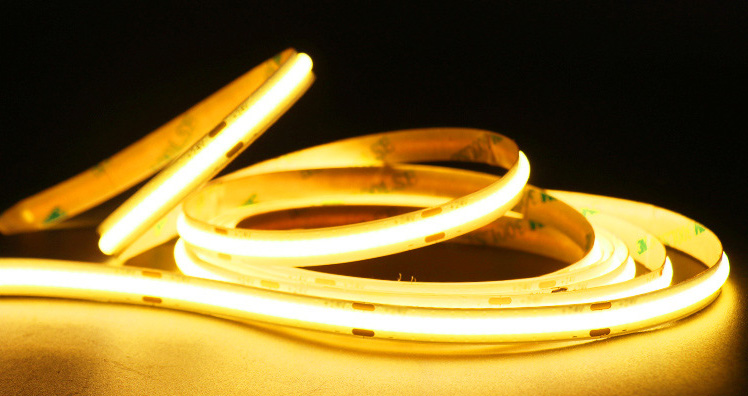
White COB Strip Lights

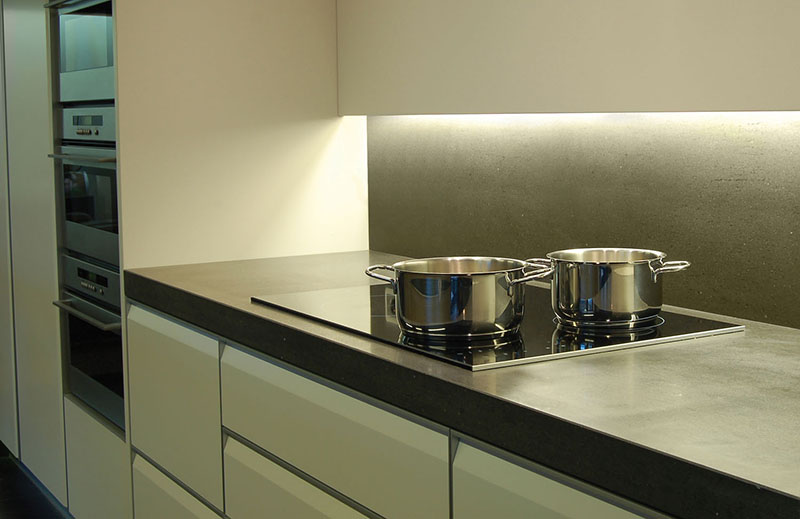
These LED strips are versatile and can be used in various settings, such as under cabinets, along staircases, in coves or recessed areas, and even outdoors. They are often used for accent lighting, task lighting, or creating visual effects in spaces.

How to choose the right color Temperature of White LED Strips?

LED Strips Color Temperature

Choosing the right color of White LED Strips can significantly enhance the ambiance and aesthetics of any space. It is important to understand that white LED strips come in different color temperatures, measured in Kelvin (K). The color temperature determines the shade of white emitted by the LED strips. Generally, there are three main color temperature options for white LED strips: warm white, neutral white, and cool white.

Warm white LED strips have a color temperature ranging from 2700K to 3000K. They emit a soft, yellowish light that creates a cozy and inviting atmosphere. Warm white LED strips create a relaxing and comfortable ambiance, such as bedrooms, living rooms, or dining areas.

Neutral white LED strips have a color temperature ranging from 3500K to 4000K. They emit a balanced, natural white light that is neither warm nor cool. Neutral white LED strips are versatile and can be used in various settings, including kitchens, offices, and retail spaces.

Cool white LED strips have a color temperature ranging from 5000K to 6500K. They emit a bright, bluish-white light that is crisp and energizing. Cool white LED strips are commonly used in task-oriented areas, such as workspaces, garages, or bathrooms, where clear visibility is essential.

Various Color Temperatures Of COB LED Strips

When choosing the right color of white LED strips, it is crucial to consider the purpose and atmosphere you want to create in the space. Additionally, keep in mind the existing lighting in the area and how the white LED strips will complement or contrast with it.

In conclusion, selecting the appropriate color temperature of white LED strips can significantly impact a space’s overall look and feel. By considering factors such as color temperature and intended use, you can make an informed decision that enhances the ambiance and lighting of your environment.

Colorful LED Channels Color Your Rooms

You have a variety of options when it comes to choosing LED channel colors. LED channels are available in various colors, allowing you to select the perfect shade to suit your needs. Whether you prefer vibrant and bold colors or more subtle and calming tones, there is a color option for every preference.

LED Channel Colors

Some popular LED channel colors include silver, black, coffee, gold, and white. These colors of aluminum channels can be used individually or in combination. When choosing LED channel colors, it’s important to consider the overall ambiance and atmosphere you want to create. Different colors can evoke other emotions and moods. The most common color of the aluminum channels is silver, and the other colors that many customers need are black and white. You can contact us to inquire about the color you prefer. And we can paint them to the color based on the RAL color chart. But there is a MOQ required. The RAL color code for white is 9003, and black is 9005.

LED Profile Colors

Ultimately, the choice of LED channel colors is a personal preference. Consider the purpose and setting of the lighting, as well as your own personal style, when making your selection. With the wide range of colors available, you can easily find the perfect Black LED channels to enhance your space.

Toe Kick Lighting-A Great Option In Your Kitchen

Toe Kick Lighting

To enhance the ambiance of your room, consider adding toe kick lighting. This type of lighting is installed at the base of your furniture, such as cabinets or beds, and provides a subtle glow that adds a touch of elegance to your space. With toe kick lighting, you can create a warm and inviting atmosphere, perfect for relaxation or entertaining guests. Whether you prefer a soft, warm light or a vibrant color-changing option, toe kick lighting can transform the look and feel of your room. So why not illuminate your space with this stylish lighting solution?

Toe Kick Board Lighting

What is Toe Kick Lighting?

Toe kick lighting refers to a type of lighting that is installed at the bottom of cabinets or baseboards, typically in kitchens or bathrooms. It is designed to provide subtle and indirect lighting, illuminating the floor or surrounding area without creating harsh shadows or glare. Toe kick lighting is often used for both functional and aesthetic purposes, as it can help improve visibility in the space while also adding a touch of elegance and ambiance. Whether used to highlight a beautiful tile floor or simply provide a soft glow in the evening, toe kick lighting can enhance the overall look and feel of a room.

Kick Toe Light Channels

Where can you add Toe Kick Lights?

To add toe kick lights, you can consider installing them in various areas of your home. One popular option is to place them in the kitchen, specifically under the cabinets or island. This not only provides additional lighting for tasks like food preparation, but also adds a stylish touch to the overall kitchen design.

Another area where toe kick lights can be installed is in the bathroom. Placing them along the base of the vanity or around the bathtub can create a soothing ambiance and enhance the overall aesthetic of the space.

In addition to the kitchen and bathroom, toe kick lights can also be added to other rooms such as the living room or bedroom. Installing them along the base of bookshelves or entertainment units can create a warm and inviting atmosphere.

When it comes to choosing the right toe kick lights, consider options that offer adjustable brightness levels and color temperatures. This will allow you to customize the lighting according to your preference and the specific mood you want to create in each room.

In conclusion, adding toe kick lights can be a great way to enhance the lighting and ambiance of your home. Whether it’s in the kitchen, bathroom, or other areas, these lights can provide both functional and decorative benefits.

Toe Kick Board Light Profiles

How to install the Kick Toe Lighting?

To install kick toe lighting, follow these steps:

  1. Gather the necessary tools and materials:
  • Aluminum Channels
  • COB Strip Lights
  • Screwdriver
  • Electrical tape
  • Wire stripper
  • Wire connectors
  1. Turn off the power:
    Before starting the installation process, make sure to turn off the power supply to the area where you’ll be installing the toe kick lighting. This will ensure your safety during the installation.
  2. Position the Light Channels:
    Decide where you want to install the Aluminum Light Channels. It is usually installed at the bottom of cabinets or furniture to provide indirect lighting. Measure the length of the area where you’ll be installing the Strip lighting and cut the lighting strip accordingly.
  3. Connect the wiring:
    Strip the ends of the wiring that came with the lighting kit. Connect the positive wire to the positive terminal and the negative wire to the negative terminal. Secure the connections with wire connectors and wrap them with electrical tape for safety.
  4. Mount the Aluminum Channels:
    Use a screwdriver to mount the Lighting Channels in the desired location. Make sure it is securely attached and aligned properly.
  5. Test the lighting:
    Once the installation is complete, turn on the power supply and test the kick toe lighting. Ensure that it is functioning properly and providing the desired lighting effect.
  6. Secure the wiring:
    Use wire clips or adhesive cable clips to secure the wiring along the installation area. This will prevent any loose wiring and ensure a neat and professional-looking installation.
  7. Enjoy your Toe Kick lighting:
    With the installation complete, you can now enjoy the added ambiance and functionality the lighting provides.

Remember always to prioritize safety when working with electrical components. If you are unsure about any step of the installation process, consult a professional electrician.

We will recommend two types of Aluminum Channels for Toe Kick Lighting: SK1580TR and SK1580. Both of them have 3 lighting space products available. The SK1580TR allows recessed installation under the cabinets. The SK1580 allows surface-mounted installation. They will create a warm and inviting atmosphere in your room.

Kitchen Toe Kick Light Channel Recessed
Surface Mounted Toe Kick Channels

[New Arrival]-MiBoxer B5 Panel Control

MiBoxer B5 Panel Control

Glad to let you know the MiBoxer B5 Panel Remote for single-color LED Lights in stock on Ledbe. They can work with LED Dimmers to adjust the brightness for various scenes, with four independent zones and four scene designs.

MiBoXER b5 4 Zones Remote

The MiBoxer B5 is a remote control with a brightness adjustable panel that allows you to control up to 4 different zones. With this remote, you can easily adjust the brightness of your lights in each zone to create the perfect lighting atmosphere. Whether you want to dim the lights for a cozy night in or brighten them up for a party, the MiBoxer B5 has you covered. Its user-friendly design and intuitive interface make it easy to use, so you can quickly and easily control your lights with just the touch of a button. Say goodbye to fumbling for light switches and hello to convenient and customizable lighting with the MiBoxer B5 Brightness Adjustable Panel Remote Control. Powered by 2PCS AAA batteries, easy to install and replace.

Black and white colors are available, now only $14.2 on Ledbe.com.

Where Can You Use Light Diffuser For LED Strips?

Light Diffuser For LED Strips

What are light diffusers for LED strips?

A light diffuser designed for LED strips can be found to enhance the dispersal of light emitted by the LED strip. This accessory helps to create a more uniform and diffused lighting effect. The diffuser can be easily attached to the LED strip and is available in various sizes and materials. It is a helpful addition for applications where a softer and more evenly distributed light is desired.

LED Strip Light Diffusers

Where can you use them?

LED strip diffusers can be used in various applications to enhance the lighting experience. These diffusers are specifically designed to soften and distribute the light emitted by LED strip lights, creating a more uniform and visually appealing illumination.

One common use of LED strip light diffusers is in architectural lighting. They can be installed in coves, alcoves, or other architectural features to provide indirect lighting that highlights the design elements of a space. These diffusers help eliminate hotspots or glare by diffusing the light, resulting in a more comfortable and aesthetically pleasing environment.

LED strip light diffusers are also popular in the retail industry. They can be utilized in display cases, shelves, or signage to accentuate products and draw attention to specific areas. By diffusing the light, these diffusers create a soft and even illumination that enhances the visual appeal of the displayed products.

In addition to architectural and retail applications, LED strip light diffusers are commonly used in residential settings. They can be installed under cabinets, along stairs, or in areas with desired accent or task lighting. The diffusers help create a warm, inviting atmosphere by evenly dispersing the light and reducing harsh shadows.

Furthermore, LED strip light diffusers can be employed in hospitality venues such as hotels, restaurants, and bars. They can be used to create ambient lighting in dining areas, highlight artwork or decorative features, or enhance the ambiance of a space. The diffusers ensure a pleasant and comfortable lighting experience for guests.

Overall, LED strip light diffusers offer versatility and flexibility in lighting design. They can be utilized in various applications, including architectural, retail, residential, and hospitality, to create visually appealing and comfortable lighting environments.

How to install LED Strip Light Diffusers?

To install a LED strip light diffuser, follow these steps:

  1. Measure and cut the diffuser: Start by measuring the length of your LED strip light. Then, cut the diffuser to match the length of your strip. Make sure to leave a little extra space for the connectors at the ends.
  2. Clean the surface: Before attaching the diffuser, clean the surface where you plan to install it. Use a mild cleaning solution and a soft cloth to remove any dirt or dust.
  3. Attach the diffuser: Peel off the backing of the adhesive tape on the diffuser and carefully stick it to the surface. Press firmly to ensure a good bond.
  4. Insert the LED strip: Gently slide the LED strip into the diffuser. Make sure it is aligned properly and fully inserted.
  5. Connect the power supply: If your LED strip light requires a power supply, connect it according to the manufacturer’s instructions. Ensure that the power supply is compatible with the strip and that all connections are secure.
  6. Test the lighting: Turn on the power and check if the LED strip light is functioning correctly. If not, double-check the connections and troubleshoot any issues.
  7. Adjust the diffuser: Once the LED strip light is working, you can adjust the diffuser to achieve the desired lighting effect. Some diffusers allow you to change the angle or intensity of the lighting.
  8. Secure any loose parts: If any parts of the diffuser or LED strip are loose, use adhesive or clips to secure them in place.

Below are the steps for installing the ALP128 Trimless Light Diffusers Of LED Strips:

Trimless Drywall LED Strip Light Diffusers
How To Install The Aluminum Light Diffuser

What is Baseboard Lighting? And How To Add?

Add Baseboard Lighting

What is baseboard?

Baseboard refers to the wooden, tile, or aluminum board between the wall and the floor. It is typically available in varying shapes and colors, with a typical size ranging from 3 to 8 inches.

What’s the purpose of a Baseboard?

The purpose of the baseboard is to serve as a protective barrier and decorative element along the bottom of the walls. It is designed to cover the joint between the wall surface and the floor, preventing damage from furniture, vacuum cleaners, and other objects. Additionally, baseboards can add visual appeal to a room, enhancing its overall aesthetic. Baseboard also helps to hide gaps and unevenness between the wall and floor, creating a finished and polished look. In summary, baseboard serves practical and aesthetic purposes, providing protection and enhancing the appearance of walls and floors.

How do you add LED baseboard lighting?

To add baseboard lighting, follow these steps:

  1. Plan the layout: Decide where to install the baseboard lighting and mark the locations on the wall. Consider the size and shape of the room, as well as the desired lighting effect. And choose the best Aluminum LED Channels for baseboard lights.
  2. Gather the materials: You will need baseboard lighting fixtures, LED light strips, a power supply, connectors, and any necessary tools such as a screwdriver or wire stripper.
  3. Prepare the baseboards: Clean the baseboards to ensure a smooth installation surface. Remove any existing baseboards if necessary.
  4. Install the power supply: Choose a suitable location for the power supply and mount it securely. Make sure it is accessible for future maintenance.
  5. Install the baseboard lighting fixtures: Attach the fixtures to the baseboards using screws or adhesive. Ensure they are evenly spaced and aligned correctly.
  6. Connect the LED light strips: Cut them to the desired length and connect them using the connectors. Follow the manufacturer’s instructions for proper installation.
  7. Wire the lighting system: Connect the LED light strips to the power supply using the provided wiring. Make sure to follow the correct polarity and secure the connections.
  8. Test the lighting: Turn on the power supply and check if the baseboard lighting works properly. Make any necessary adjustments or repairs.
  9. Secure the wiring: Use clips or adhesive to secure the wiring along the baseboards and prevent any tripping hazards.
  10. Finishing touches: Replace any removed baseboards and touch up the paint if necessary. Ensure that all connections are hidden, and the installation looks seamless.

We recommend our SK1270 LED Channels to add baseboard lighting to your room. There are three colors available: silver, white, and black. The standard length in stock is 2 meters per piece, and you can cut to any size you desire. Come with PC Diffused Covers to diffuse the LED Strip Lights to create soft ambient lighting following the footline. Please check the picture below to learn what you need and how to install them.

How To Add Baseboard/Skirting/Footline Lighting

If you want to add baseboard lighting to your room, you could follow the steps above. The Baseboard lights in your room can be a great addition to enhance the ambiance and functionality of the space. Whether you are looking to create a cozy atmosphere or add task lighting for specific areas, baseboard lighting offers a versatile solution.